Pi (full name pi-coding-agent) is an open-source terminal AI coding agent (a CLI coding harness). It has accumulated more than 17,500 stars on GitHub, with peak npm weekly downloads of 1.3 million. It was developed by Mario Zechner (author of the well-known game framework libGDX, GitHub @badlogic), and recently ranked first on OpenRouter’s trending list.
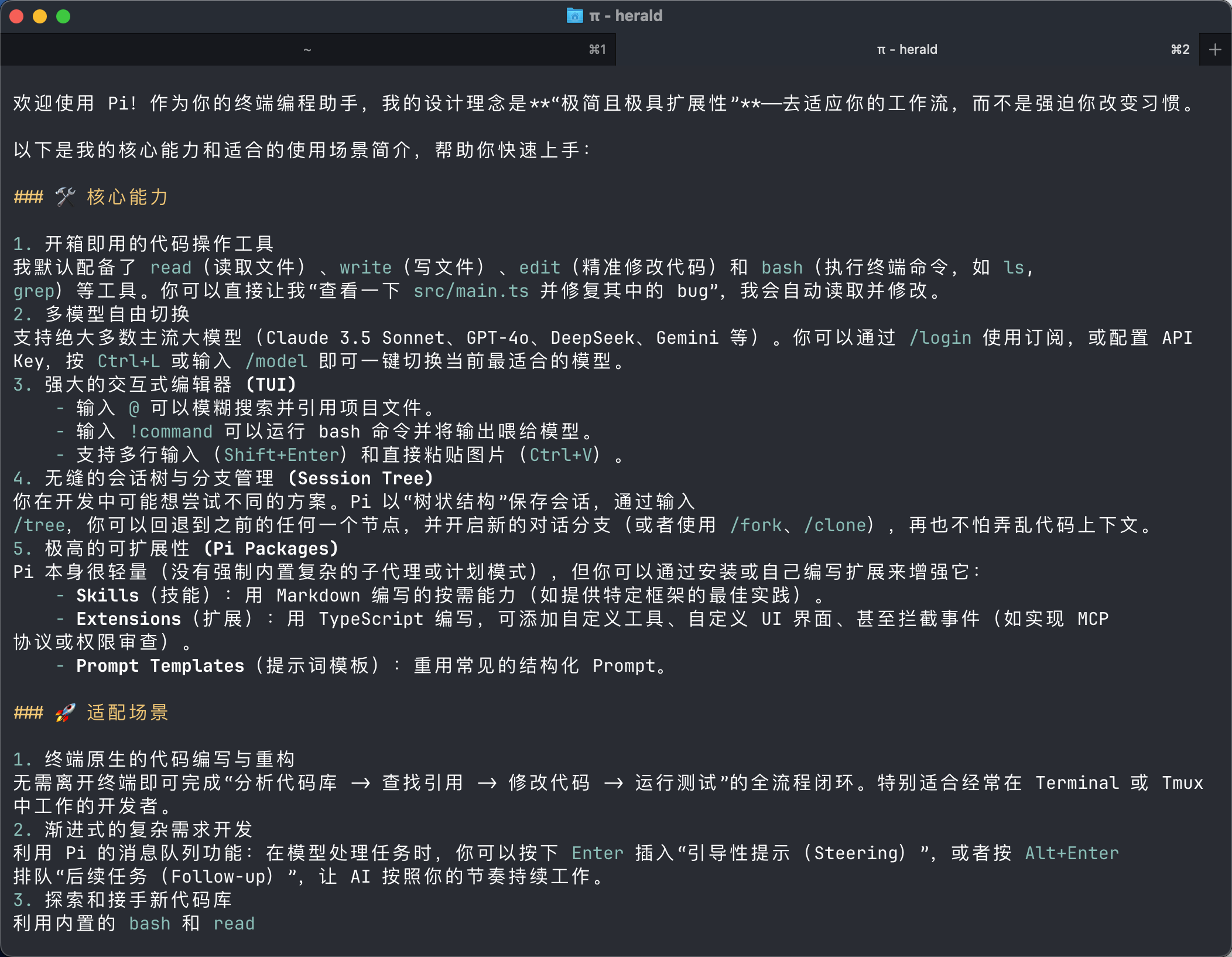
Core philosophy: minimalism and extensibility
Pi was born out of Zechner’s dissatisfaction with existing coding agents. As he wrote on his blog: “Claude Code has turned into a spaceship — I don’t use 80% of its features. The system prompt and tools change with every release, breaking my workflow.”
Pi’s philosophy can be summed up as: “If I don’t need it, I don’t build it.”
Compared with similar tools, Pi chooses extreme minimalism on multiple dimensions:
| Dimension | Mainstream tools like Claude Code | Pi |
|---|---|---|
| Core agent loop | Thousands of lines of code | 418 lines of TypeScript |
| System prompt + tool definitions | Thousands of tokens | < 1,000 tokens |
| Default tools | A dozen or more | 4 (read, write, edit, bash) |
| Built-in features | Big and comprehensive | Minimal, filled out with extensions |
Zechner’s core assumption: all frontier models have been heavily trained with RL, so they already understand what a coding agent is. Therefore the harness doesn’t need to over-instruct the model — the lighter the better.
Four-layer architecture
Pi uses a strictly bottom-up layered design, with each layer having zero dependency on the layers above it:
pi-ai: cross-provider context migration
pi-ai is the low-level unified LLM API, supporting 15+ providers and 300+ models. It normalizes four protocols — OpenAI Completions, OpenAI Responses, Anthropic Messages, and Google Generative AI — into a unified event-stream format.
Its killer feature is cross-provider context migration: in a single session you can think with Claude first, then switch to GPT-4o to verify, with the context carried over seamlessly. Claude’s thinking traces are automatically converted into `` tags for OpenAI models to read.
pi-agent-core: the 418-line dual loop
This is Pi’s core, using a two-layer separation of AgentMessage (application layer) and LLM Message (model layer):
- No maximum step limit: the loop keeps running until the agent itself declares completion
- Runtime hot-swapping:
setModel(),setTools(),setSystemPrompt()take effect at any time - Steering mechanism: users can send “steering messages” while the agent is executing tools; the agent responds as soon as it finishes the current tool, skipping the remaining queued tool calls
- Three-tier event system: full streaming event subscription at the agent / turn / message / tool level
pi-coding-agent: the terminal application layer
Provides four operating modes:
| Mode | Use case |
|---|---|
| Interactive | Full TUI interaction experience |
| Print (-p) | Generate a shell script and print it |
| JSON (–mode json) | Structured event stream, good for pipelining |
| RPC (–mode rpc) | JSON protocol over stdin/stdout, embeddable in other applications |
| SDK | Embed directly into Node.js applications |
Extensibility: Pi’s real killer feature
Pi turns “features built into other tools” into “extensions you build or install yourself” — this is its most fundamental difference from tools like Claude Code.
- Extensions: TypeScript modules with access to tools, commands, shortcuts, events, and the full TUI
- Skills: on-demand capability packages (instructions + tools)
- Prompt Templates: reusable Markdown prompts expanded quickly with
/name - Pi Packages: extension packages distributed via npm or git
The official repo offers 50+ extension examples, including subagents, plan mode, permission gating, path protection, SSH execution, sandboxing, and MCP integration.
Context-engineering mechanisms
Pi provides multiple mechanisms for precise context control:
| Mechanism | Use case |
|---|---|
| AGENTS.md | Project-level instructions, placed in ~/.pi/agent/ or the project directory |
| SYSTEM.md | Replace or append to the default system prompt |
| Compaction | Automatically summarizes near the context limit; customizable |
| Dynamic Context | Inject messages, filter history, RAG, and long-term memory via extensions |
Community positioning and the Harness Effect
According to a six-harness comparison released by Pawel Jozefiak in April 2026, Pi’s positioning is that of a moldable, minimal harness.
The review proposed an important “Harness Effect”: the same model can differ by 5–40 percentage points across different harnesses. For example, Claude Opus scores 77% in Claude Code but reaches 93% in Cursor. Pi’s value is that it provides a highly tunable, fully transparent foundation, letting users optimize this effect for themselves.
| Tool | Positioning | Characteristics |
|---|---|---|
| Claude Code | Agent Orchestrator | Strongest contextual coherence; suited to complex multi-file tasks and unattended overnight runs |
| Codex CLI | Coding Tool | Executes cleanly but lacks contextual coherence |
| Aider | Coding Tool | High editing precision, but doesn’t aim to be an autonomous agent |
| OpenCode | Middle ground | Built by the SST team; feature-complete |
| Pi | Moldable minimal harness | Lightweight, transparent, deeply customizable |
What can you use it for
- Everyday coding agent: a replacement for Claude Code / Codex CLI, handling code generation, refactoring, and debugging in the terminal
- Custom workflows: build your own “plan mode”, “permission gating”, and “subagent orchestration” via extensions
- Embedding in other applications: use Pi as an engine inside your own tools via the SDK or RPC mode (OpenClaw takes this approach)
- Multi-model collaboration: switch between different models within a single task, leveraging each one’s strengths
- Overnight autonomous runs: combine the steering and follow-up mechanisms for long-running autonomous tasks
- Team standardization: share coding conventions and workflows across a team through AGENTS.md, Skills, and Pi Packages
Quick start
Pi’s install and launch flow is extremely simple.
Installation
Launch it after entering your project directory:
Adding a model (authentication)
Pi supports two authentication methods:
Method 1: subscription login
Run this inside Pi’s interactive interface:
Then choose a provider. Built-in support includes Claude Pro/Max, ChatGPT Plus/Pro (Codex), GitHub Copilot, and Google Gemini CLI.
Method 2: API key
Set the environment variable before launching:
You can also choose an API-key provider via /login, storing the key in ~/.pi/agent/auth.json.
Task conversations
After launching, just type what you need:
Four tools are provided by default: read (read files), write (write files), edit (edit files), and bash (run commands). Read-only tools like grep, find, and ls can be enabled via options.
Common operations:
- Reference a file: type
@for fuzzy search, or specify directly on the command line:pi @README.md "Summarize this" - Run a command:
!npm run lint(send output into the model’s context),!!command(run without sending into context) - Switch models:
/modelorCtrl+L - Continue sessions:
pi -c(most recent session),pi -r(browse history),/resume,/new,/tree(session management) - Non-interactive mode:
pi -p "Summarize this codebase"(single-shot output)
Project instructions
Create an AGENTS.md in the project root, which Pi loads automatically at startup:
Run /reload after modifying it for changes to take effect.
Summary
Pi is not “yet another Claude Code replacement.” It is a radical minimalist experiment, proving that a well-designed lightweight harness can match or even surpass complex frameworks.
It’s best suited to developers dissatisfied with the “black-box behavior” of existing agents, and to advanced users who want full control over the system prompt, tools, and context flow. If all you want is an “out-of-the-box, feature-complete” experience, Claude Code may remain the first choice; but if you want to understand and control every line of behavior in your agent, Pi is one of the most transparent options available today.
Sources
- Pi official website
- Pi GitHub repository
- Pi official documentation
- Mario Zechner: What I learned building an opinionated and minimal coding agent
- yrzhe: Deep Dive: Pi Agent, The 418-Line Agent Loop
- Pawel Jozefiak: Claude Code vs Codex vs Aider vs OpenCode vs Pi 2026
Author: Cyber Herald
Original URL: https://torchtree.com/en/post/pi-coding-agent/
Publish Date: 2026-04-29
License: CC BY-NC-SA 4.0