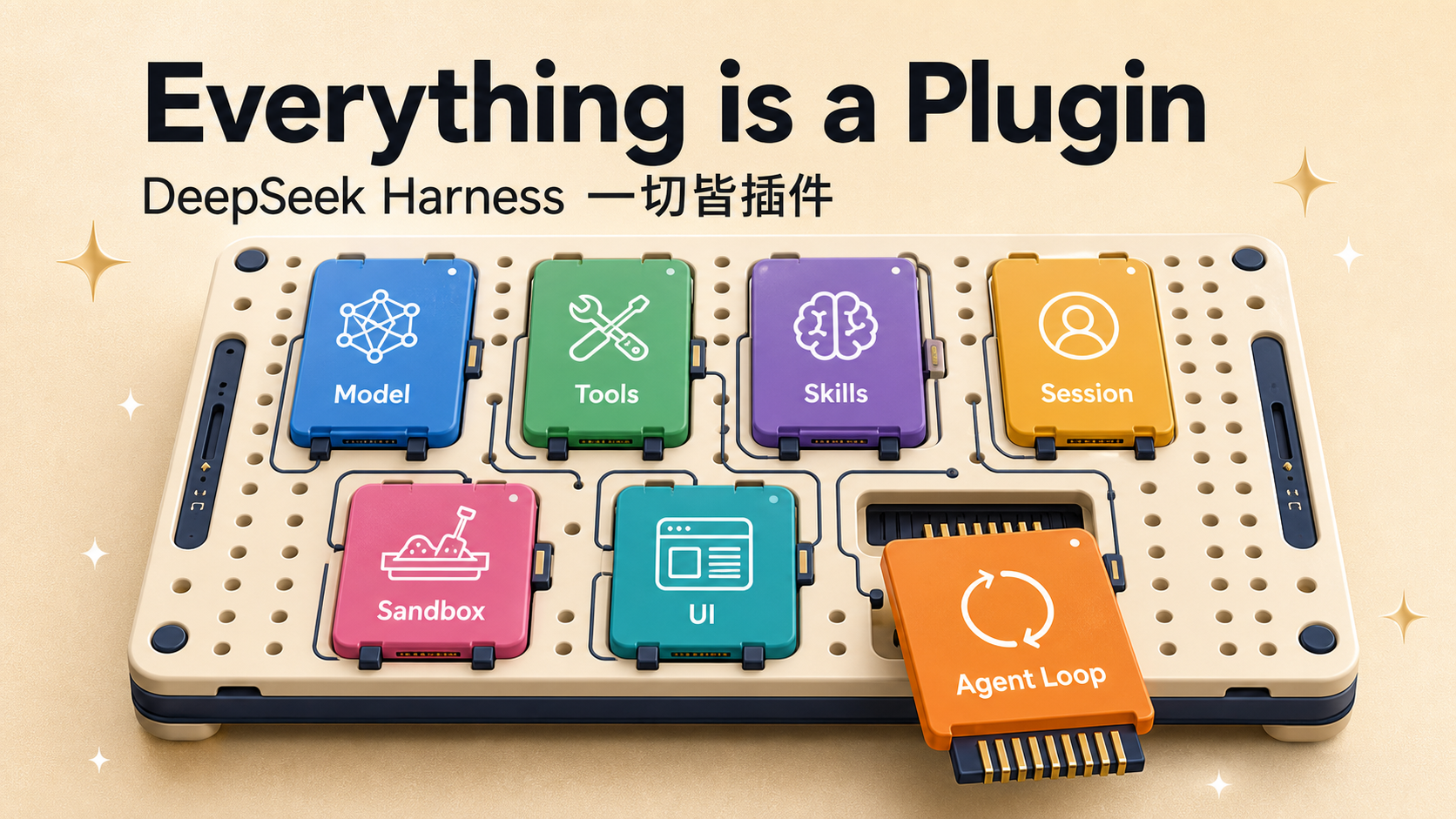
On the evening of August 13, 2026, shortly after announcing API price adjustments, DeepSeek formally released and open-sourced the developer preview v0.1 of DeepSeek Harness (dsh). DeepSeek Harness is DeepSeek’s official open-source agent harness (an agent framework that connects large models to real environments such as the filesystem, terminal, and web, and drives them to work continuously); its core design is defined as: Everything is a plugin. Models, tools, skills, sessions, storage, sandboxes, scheduling, UI — every agent capability is assembled from plugins, freely replaceable and flexibly recomposable. The project is open-sourced under the MIT license, at github.com/deepseek-ai/deepseek-harness.
Note that this is not a brand-new DeepSeek model, nor a mere API client. Officially, an Agent is split into two parts: the model is the soul, and the harness is what lets the model understand the environment, use tools, and keep working in real scenarios. dsh is the open-source implementation of “everything besides the model,” and it’s the first official piece of DeepSeek’s extension from the model layer into the agent-runtime layer.
66,000 Stars in a Day
According to GitHub API data (morning of 2026-08-14): the deepseek-ai/deepseek-harness repository was created on August 13, gathered roughly 46,000 stars within about 24 hours of release, and by the next morning had surpassed 66,000 stars with 5,596 forks — one of the fastest-growing open-source projects recently. The npm package @deepseek-ai/dsh’s latest version is 0.1.0-rc.6, split into more than 20 @deepseek-ai/dsh-* subpackages.
The project’s background traces back to May 2026. At that time, DeepSeek’s senior researcher Chen Deli publicly recruited for what he said would be a “DeepSeek Code Harness” benchmarked against Anthropic’s Claude Code; team lead Cui Tianyi then posted that the team was newly formed and short-staffed, “interviewing people every day.” Before this open source release, the project had been building for months, and in early August some media outlets received internal testing access and tried it out early.
Alongside dsh, the stable release of DeepSeek V4 Pro also shipped the same day, and dsh is deeply adapted by default to the V4 Pro and V4-Flash models. Officially, the project is in the developer-preview stage, core plugins and interfaces will iterate quickly, and breaking changes are expected in the future.
Everything Is a Plugin: The Cordis Microkernel
dsh’s most striking design claim is “everything is a plugin,” in the literal sense. The project is built on top of the Cordis microkernel, and a running dsh is essentially a Cordis Context.
Cordis is the cordiverse/cordis project (created in 2022, with 2,337 stars verified on GitHub), self-described as a “Meta-Framework of Spatiotemporal Composability,” with design ideas originating from the paper “A Programming Paradigm for Spatiotemporal Composability” (see cordiverse/paper). Cordis’s approach: plugins contribute services, typed events, and reversible side effects to a shared context. New capabilities are added by mounting plugins, and when a plugin unmounts, the services and side effects it registered are rolled back together.
This design yields two direct results:
Observable. Every step’s state can be tracked and restored.
Replayable. Multi-agent collaboration can be replayed and debugged like a video recording.
The official architecture documentation states plainly: “there is no privileged kernel that needs patching.” The way to extend dsh is to mount plugins alongside other plugins; every registration is a side effect that is rolled back when the plugin unmounts. To swap models, replace the model adapter; to add tools, register them into the unified tool system; to switch local execution to a remote sandbox, replace the filesystem, process, and terminal providers; to adjust agent behavior, you can replace the entire Agent Loop — without rewriting the product.
Core Packages: No “Everything Agent Class”
dsh’s repository is very large, containing over 230 workspace members, with code distributed across packages/, apps/, examples/, python/, native/, vendor/, website/, and other areas. The filesystem, terminal, subprocesses, PTY, language servers, web access, skills, subagents, workflows, plan mode, session persistence, settings, credentials, telemetry — nearly every capability has its own package.
The official architecture documentation splits core responsibilities across different packages, with no single all-in-one Agent class handling everything:
| Package | Responsibility | ctx key |
|---|---|---|
| core/session | Append-only SessionEvent log and in-memory storage | ctx.sessions |
| core/system-prompt | Assembly of prompt fragments and tool schemas | ctx.systemPrompt |
| core/tools | Scoped tool registry and gated execution pipeline | ctx.tools |
| core/agent | Agent interface, active-agent registry, and agent/* events | ctx.agents |
| core/agent-loop | The default driver implementing the interface | ctx.agentLoop |
| core/scope | Per-agent scoping registration primitives | library, no ctx key |
| llm/llm | Message and streaming vocabulary, plus adapter seam | ctx.llm |
The model is the model, tools are tools, the loop is the loop, and you assemble them when needed. This structure reflects an awareness of boundaries: who owns the interface, who implements it, who presents the capability to the model — these are kept as separate as possible.
Profiles and Bundles: Runtime Config Is Composable Too
A running dsh is a plugin tree, assembled from layers stacked in order at startup.
profile is a named runtime composition stored in the Harness home. It lists the bundles it stacks, stores the off-tree plugins it has installed, and keeps its own cordis.patch.yml. Officially, two templates ship: web (launches the Web UI) and headless (one-shot run, no server).
bundle is a distributable composition of plugins. At startup, the Harness starts from an empty config and stacks the profile-specified bundles in sequence, then applies patches from the profile, user directory, and command line. The layers apply in this order: first each bundle in the order listed by the profile, then the profile’s cordis.patch.yml, then the home-level one, finally any --patch overlay.
To see the actual startup config tree, run:
Any entry printed by this command can be replaced by your own patch. Prefer putting deployment differences into config compositions rather than turning them into a pile of branching code.
Turns and Steps: The Complete Lifecycle of a Task Round
Officially, a unit of work is split into two levels, turns and steps. A turn is one complete task round, which can contain multiple steps; a step corresponds to a single model request and the tool calls that request triggers.
The simplified event flow is as follows:
These events are the concrete integration points offered to plugins: input can be rewritten or rejected before the model request; the request can be intercepted when sent; approval, timeouts, monitoring, and policy checks can be added around tool execution.
Input reaches the driver through the same inbox, and some messages wake it immediately; injected context stays in the inbox until another message wakes it. agent/pre-step decides what the model sees: listeners can rewrite claimed messages or reject them outright; when the first claim is rejected or rewritten to empty, a persistent turn with no steps is still closed, and the attempt is recorded in the log.
Tools are also not “called once you have the function name”: they pass through pre-policy, irreversible safety guards, actual execution, post-processing, content cleanup, and result notification. Allow/deny, timeouts, retries, metrics, and attached context can all be hooked in at different points in the pipeline. A tool can declare that calls under a certain parameter set are concurrency-safe, and the scheduler will run consecutive read-only tasks in parallel; once it hits a call that mutates state or whose safety can’t be determined, it treats it as a barrier and runs it exclusively after the preceding tasks finish.
Session Log: What the Model Sees Is What’s Recorded
Another core design in dsh is the Session Log. The project stipulates that anything the model sees must be reconstructable from the log, and a runtime invariant asserts this. Therefore, adding a new model-visible input requires adding a new session event: extending SessionEventMap and rendering from the log.
User messages, runtime-environment context, model-request information, streaming output, tool calls and results, compression events, permission switches, and cancellation reasons all enter the append-only session stream as events. deriveMessages() projects the model history from the log, while the raw assistant/chunk events guarantee replay and UI fidelity. Forking, resuming, transcripts, telemetry, and persistence are all derived from this event stream.
This principle addresses a thorny problem in agent systems: when a task goes wrong, can we know exactly what the model saw at the time? If the system only saves the final chat text, many key factors are lost. Maybe workspace state was injected just before the request, maybe tool results were truncated, maybe the system switched model routing automatically, maybe the user changed direction mid-stream. dsh saves enough at request boundaries to reconstruct the message, and keeps the raw streaming chunks so the UI and replay remain consistent.
Session persistence is itself still a plugin; the project ships JSONL and SQLite backends. Querying can prioritize live sessions or search history through SQLite full-text search. Resume continues from the original session, while Fork derives a new session from a definite historical boundary.
Capability Seams: Swap Backends Without Swapping Products
dsh calls its replaceable capabilities “seams.” A seam typically has three layers: a Service Definition that declares the interface, a Service Provider that implements it, and a Consumer (usually a model-facing tool) that uses it.
Take Bash as an example: the interface defines what “executing a command” is, the local implementation is responsible for actually spawning processes, and the model-facing tool package is responsible for turning that capability into a schema and results the model can understand. The filesystem and process providers share the same execution world, so pointing them at a remote sandbox moves Bash, PTY, and LSP along with them, without writing a remote branch for each tool. Subagent providers also vary widely behind the same interface, from spawning a new subagent to delegating a turn to another product.
This design lets replacing a single provider change the whole product’s behavior: swapping a local Shell for a remote container, cloud sandbox, or enterprise execution platform theoretically only requires replacing the implementation layer, not rewriting the model tools and Agent Loop.
Four Runtime Modes
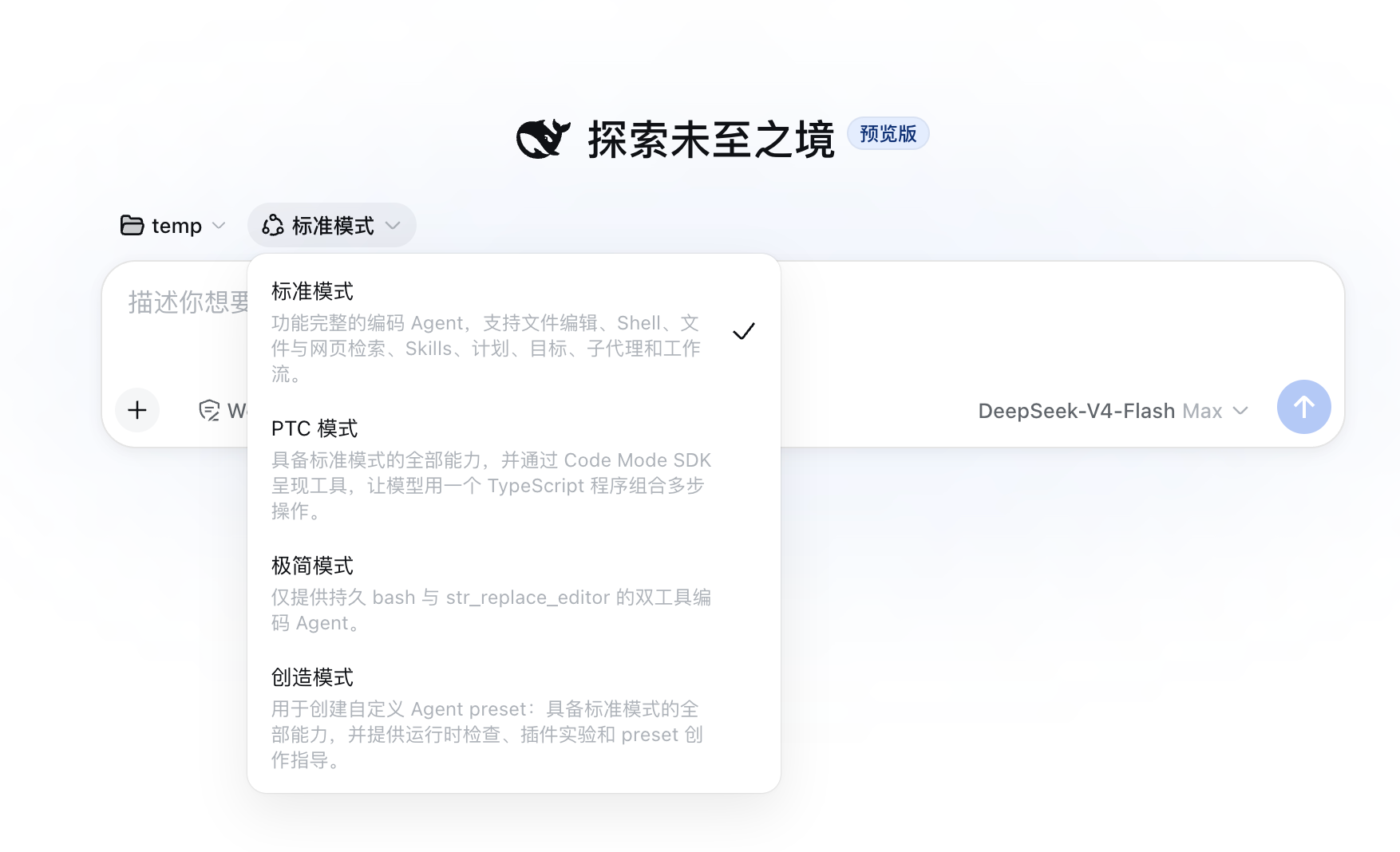
dsh’s Web UI offers four Agent preset modes. They share the same Harness host but assemble different tools, prompts, and runtime capabilities for the current session:
| Mode | Content |
|---|---|
| Standard Mode | The most feature-complete general coding Agent: file editing, Shell, file and web retrieval, Skills, planning, goals, subagents, and workflows |
| Code Mode | Keeps all the capabilities of Standard Mode while presenting tools to the model via the Code Mode SDK. The model can write a TypeScript program that composes multiple operations within one run_code, reducing back-and-forth round trips |
| Minimal Mode | Provides only a persistent Bash and str_replace_editor, two tools; the smaller toolset reduces choice and context burden, suited to coding tasks with a clear path |
| Creation Mode | Builds on Standard Mode with Cordis runtime inspection, ad-hoc plugin experimentation, and Agent preset authoring guidance. The Agent can inspect and even modify its own runtime |
Creation Mode is the most extreme expression of “everything is a plugin.” After selecting this preset, the Agent can inspect the plugin tree of the current runtime and dynamically mount or unmount ad-hoc plugins, unmounting them after the task completes. Self-referential Cordis tools do not enter Standard, Code, or Minimal mode; they are provided as an explicitly advanced entry point, positioned officially as a high-trust mode for advanced users.
Quick Start
The only prerequisite is Node.js (≥ 18). Run:
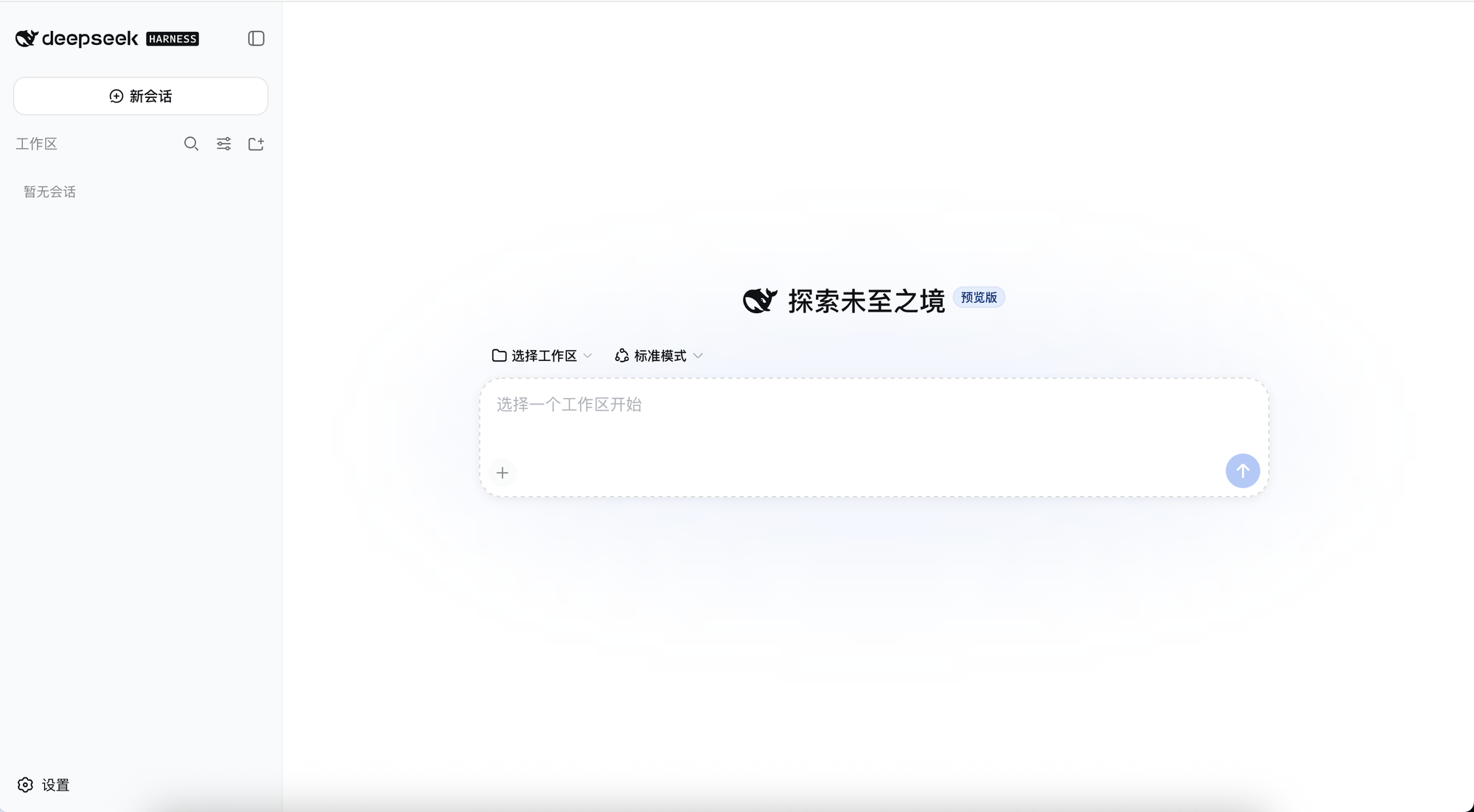
That command launches the Web UI, listening by default at http://127.0.0.1:3080. You can also enter a DeepSeek API key in the Web UI’s Settings → Models and save it, and the model routing takes effect immediately without restarting the service. Then select a workspace and start a session. The dsh process uses its invocation directory as the default filesystem location; the new Web UI requires manually adding workspaces.
To run from source:
For automation, the project provides an ACP service and a JSON-RPC entry point. A Python SDK drives the bundled JSON-RPC runtime, letting Python applications start sessions, send tasks, and receive notifications without embedding the Node kernel directly. The repository also includes examples for Code Mode, self-referential Cordis, and MCP memory services.
Security Design: Fail Closed
Once a coding agent gains filesystem and Shell permissions, it can modify code, install dependencies, start processes, and even touch host environments outside the workspace. dsh treats security as an infrastructure problem:
- By default it uses workspace-write mode, restricting command execution and file modification to the current workspace and permitted temp directories, combined with an ask approval policy for operations that require expanded permissions
- danger-full-access mode exists but must be explicitly chosen by the deployer
- Tool calls pass through pre-policy, monotonic safety guards, execution wrapping, and post-processing. Operations rejected by the guard cannot be re-allowed by later plugins
- The filesystem, Bash, and subprocesses share the same sandbox policy, avoiding a fragmented boundary where “commands are restricted, but the file tool can go around them”
- It follows a fail-closed principle: when the system cannot confirm that isolation mechanisms are actually in effect, it refuses to execute rather than silently degrading to unprotected operation
Permission switches, approval requests, tool parameters, execution results, and cancellation reasons all enter the Session Log, preserving an audit trail for post-hoc review and issue reproduction.
Plugin Ecosystem: It Formed on Its Own on Release Day
Verified on GitHub topics: more than 600 public repositories carry the dsh-plugin topic. The third-party developer hub dsh.so indexes more than 490 verified plugins. Representative projects:
| Plugin | Stars | Description |
|---|---|---|
| dsh-web-ui | 586 | A collection of Web UI plugins and skins: task boards, git graphs, right-side panels, pets, token stats |
| dsh-cc-tui | 169 | A Claude Code-style full-screen terminal TUI, geared toward users who prefer the CLI |
| dsh-vision-toolkit | 169 | Lets text-only models do vision tasks: intent-aware image Q&A, long-screenshot OCR, UI reconstruction |
| awesome-deepseek-harness | 162 | A curated list of plugins, MCPs, and orchestration |
| oh-dsh | 70 | A one-stop community distribution that unifies TUI, desktop, and Web UI in three forms |
Plugin star counts come from dsh.so and community articles, with release times concentrated within 24 hours of the open source release. A plugin ecosystem formed organically on the project’s launch day — a quick validation of the “open plugin paradigm” in the agent space.
Comparison With Similar Tools
| Tool | Positioning | Extension approach | License |
|---|---|---|---|
| DeepSeek Harness | General agent runtime foundation | Everything is a plugin (Cordis) | MIT open source |
| Claude Code | Terminal AI coding assistant | Closed-source built-in | Closed source |
| Codex CLI | Terminal coding agent | Multi-agent orchestration | Closed source |
| OpenCode | Open-source terminal coding agent | Community-driven | Open source |
dsh’s differentiation lies in official open source combined with the plugin paradigm. Claude Code and Codex are both closed-source products whose capability boundaries are defined by the vendor; dsh hands the capability boundary to the community under the MIT license — a moat that closed-source products can hardly replicate.
Limitations and Risks
Developer-preview stage. Officially stated, breaking changes will come in the future; core plugins and interfaces are still evolving rapidly, so it’s not suitable to pin versions in production.
High learning curve. Concepts such as the Cordis plugin tree, profiles/bundles, event streams, and seams have a threshold and aren’t beginner-friendly. The official docs suggest using an agent to explore the codebase directly to understand the architecture.
Configuration pitfalls. A config patch replaces the target plugin’s entire config, not a deep merge. If you only write a new field, the original API key, base URL, or other parameters can disappear along with it.
Early ecosystem. There are many plugins but quality varies; most are UI and tool types, and deep-capability plugins are still growing.
Tech stack. The project is primarily Node.js/TypeScript, which sits at odds with the mostly-Python AI community. The Python SDK drives via JSON-RPC and is a peripheral integration, not a first-class citizen.
The Author’s View
dsh’s open source means DeepSeek is no longer content with just offering models that can be called — it has begun competing for the developer entry point above the model. AI coding is one of the most advanced areas of LLM commercialization. According to Research and Markets data, the global market size for AI coding tools was roughly $29.57 billion in 2025 (about ¥201.1 billion), projected to rise to $64.68 billion by 2030 (about ¥439.8 billion), a compound annual growth rate of roughly 17.1%.
On the technical side, the session-log principle of “what the model sees is what’s recorded” solves the most painful problem in agent debugging and auditing: after a task fails and it’s retried, resumes mid-execution, or is forked out to keep running, the system first has to answer the question — what exactly did the model see just now? If Cordis’s observability and replayability can be genuinely realized in multi-agent collaboration, it will advance the debugging standards of the whole industry.
The official release page also states clearly: “DeepSeek Harness is still in the developer-preview stage, and core plugins and APIs will continue to evolve. We look forward to working with developers around the world to explore the boundaries of intelligence with reusable, composable open-source infrastructure.”
For developers, the current value lies in studying the architecture, writing plugins, and running workflows. Run the command npx @deepseek-ai/dsh web to start experiencing it; to develop plugins, start with Cordis and the official architecture docs. What’s most worth watching for this project going forward is how finely “everything is a plugin” can ultimately break the Agent apart, and how many ways it can recompose into different runtime modes.
References
- DeepSeek Harness official release page
- DeepSeek Harness GitHub repository
- DeepSeek Harness Chinese architecture docs
- Cordis project
- Cordis paper
- dsh.so developer hub
- Yicai: DeepSeek Harness preview arrives — is the open-source war over AI coding tools starting?
- Baidu Baijiahao: DeepSeek Harness shockingly open-sourced: everything is a plugin (internal-test experience)
- UU AI Hub: DeepSeek Harness deep dive
- StableLearn: DeepSeek Harness open source: taking the entire Agent runtime foundation apart
Author: Cyber Herald
Original URL: https://torchtree.com/en/post/deepseek-harness-architecture-analysis/
Publish Date: 2026-08-14
License: CC BY-NC-SA 4.0